SSH / HOSTS
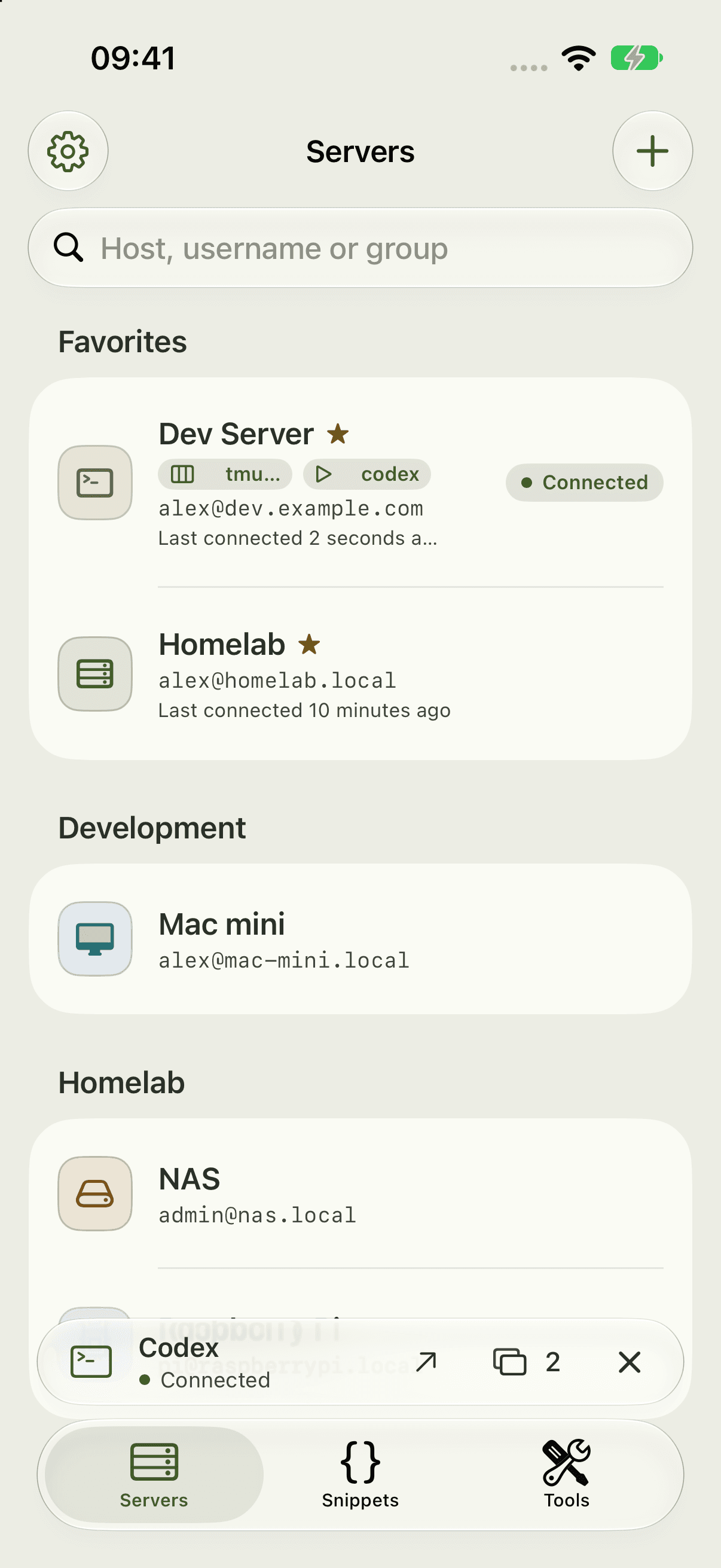
Every server. One place.
Groups, favorites, tags and a theme for each host.
YOUR AGENT. YOUR SERVER.
Your coding agent works on your server. Shell22 is your native terminal. Open your project, read along and carry on while you’re away.
Notify meEnter the host, username and authentication. The connection goes straight from your device to your server.
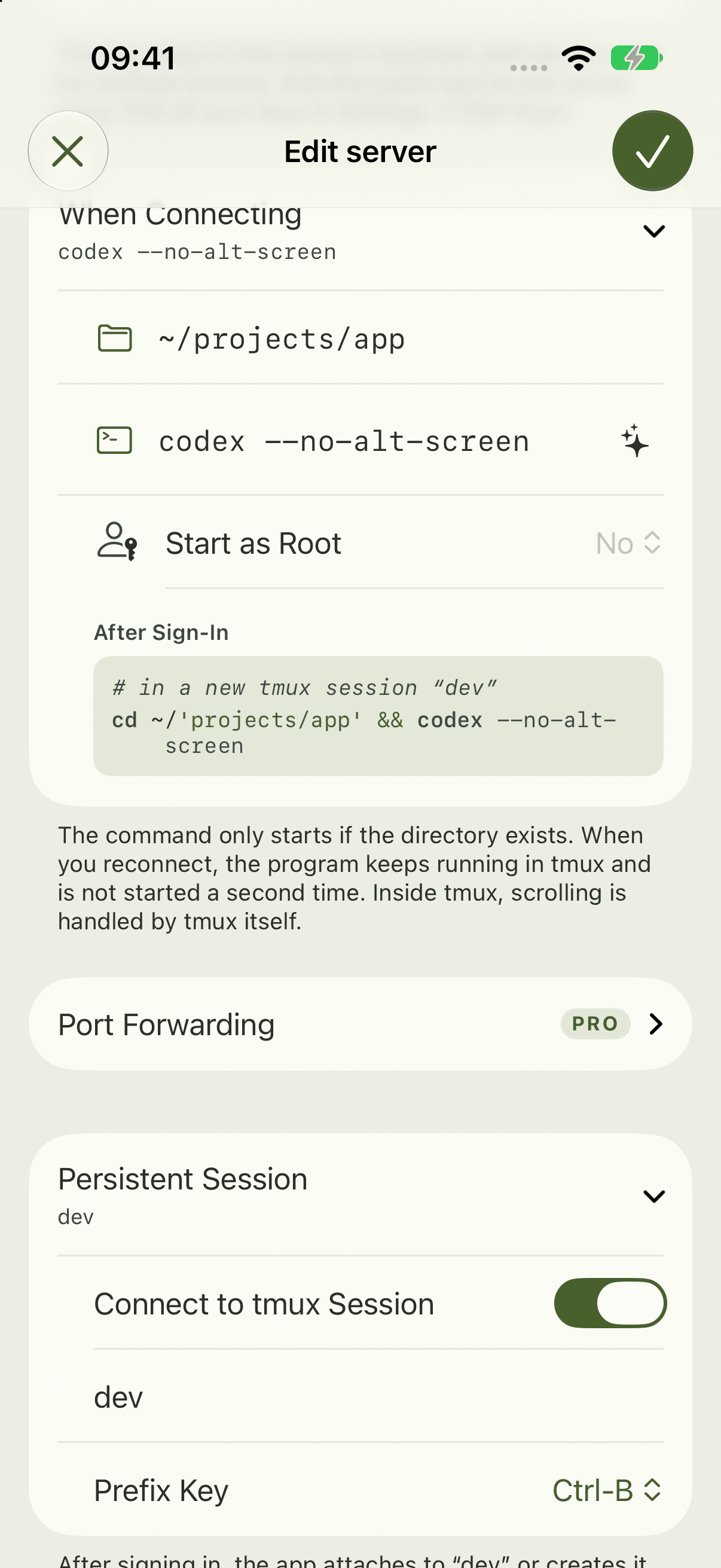
Choose a start directory and set claude or codex as the start command for your host.
Reattach to the same session when reconnecting. tmux must already be installed on your server.
Under Snippets → + → Codex and Claude templates, find agent overviews and commands to resume. Connect to the correct computer and user. Codex shows sessions on the connected agent server; Claude attach opens background agents. Not every desktop window is accessible from the CLI.
codex agents --no-alt-screen
codex resume --all --no-alt-screen
claude agents
claude attach SESSION_IDApple Intelligence explains entered or selected commands: their purpose, key options and an illustrative example output when useful. Explanations stay on your device and run nothing.
Requires a supported device with Apple Intelligence enabled and available. Model responses can contain errors.
With Pro, Shell22 supports bell, OSC 9 and OSC 777. Configure your server as shown here or in Support.
# Codex: ~/.codex/config.toml
[tui]
notifications = true
notification_method = "osc9"

# Claude Code: ~/.claude/settings.json
{
  "preferredNotifChannel": "terminal_bell"
}
Claude Code: merge preferredNotifChannel into the existing ~/.claude/settings.json; do not replace the whole file. For Codex inside tmux, choose notification_method = "bel". A bell signal contains no program message. Background notifications require the SSH connection to remain active.
Get support ↗Send up to eight images from Photos, Files or the clipboard. After uploading, the paths are inserted without pressing Return.
A multi-line prompt editor, dictation and dedicated thumb keys for AI sessions.
Without full-screen mode, the transcript stays in the terminal. Scroll on your iPhone just like a web page.
codex --no-alt-screen

# ~/.codex/config.toml
[tui]
alternate_screen = "never"Codex and Claude Code are products of their respective providers. Shell22 is an independent SSH terminal and is not affiliated with them.
SSH / HOSTS
Groups, favorites, tags and a theme for each host.
Your next server is one tap away.
Notify meFor iPhone and iPad · iOS 27 and later